Computing@Barnehurst
Intent
 The impact of computers and digital technology on our day to day lives can’t be under-estimated and through our computing curriculum at Barnehurst, we give all pupils the life-skills that enable them to embrace and utilise new technologies in a socially responsible and safe way in order to flourish. We want our children to enjoy and embrace the challenges that an ever-changing digital society brings and to be able to apply their knowledge and skills across the curriculum. Through developing their problem solving, critical thinking abilities and resilience, we are opening the door to limitless possibilities for our children by equipping them with the skills, confidence and ambition to be, not just consumers but creators of original digital content.
O ur curriculum teaches children key knowledge about how computers work and how they can be used to impact society. In a world where technology plays such a vital role, our aim is for our children to play a full part in using their computing skills to shape the future. We know that technology is a tool for learning and, when used right, it can transform a classroom. Linked with our values, computing at Barnehurst ensures children can not only learn about global issues but it gives them a tool to engage with the wider and world and become responsible global and digital citizens.

 In addition, supporting the whole school vision of “The Power of Me and the Power of We”, we give the children numerous opportunities to work both individually (developing Digital Me) and with their peers. We recognise that, both in school and in workplaces across the globe, collaboration allows for ideas to be shared and greater outcomes achieved than could be accomplished alone. Technology gives us the perfect tool to realise this potential.
Implementation
At Barnehurst, we deliver a high quality and relevant computing curriculum based on the National Curriculum 2014. We have created a bespoke scheme centred around the disciplines of programming, creating media, understanding computer systems and networks, and data handling. Being such a fundamental and important aspect, e-safety is woven throughout each of these strands. Within each year group, these disciplines are taught, as outlined in our LTP.
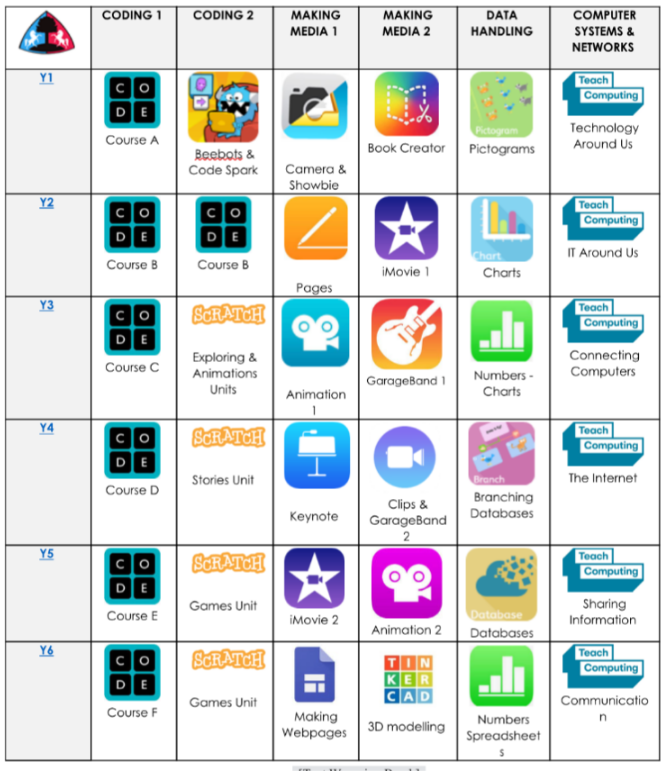
Our LTP for teaching the computing curriculum
We also recognise that the skills for computing need to be built on strong foundations. For this reason, in our EYFS settings of Nursery and Reception, children develop the precursors to the National Curriculum content through their area of learning, ‘Understanding the World’ an excerpt of which is shown below.
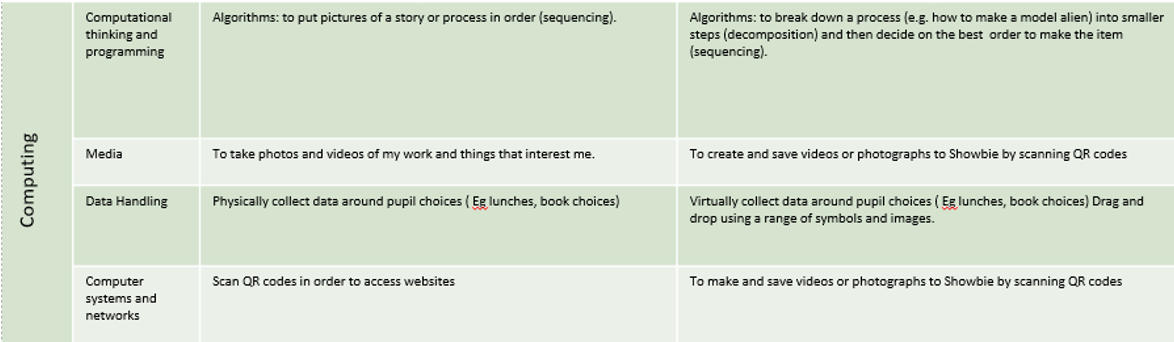
An excerpt from developing the precursors for computing in Reception at Barnehurst
A schema of key knowledge has been developed and shared with all teachers so that they are aware of what the children in their year group should already know. This is then referred to at the start of lessons so that children can retrieve and make links with previous learning and develop their learning further.
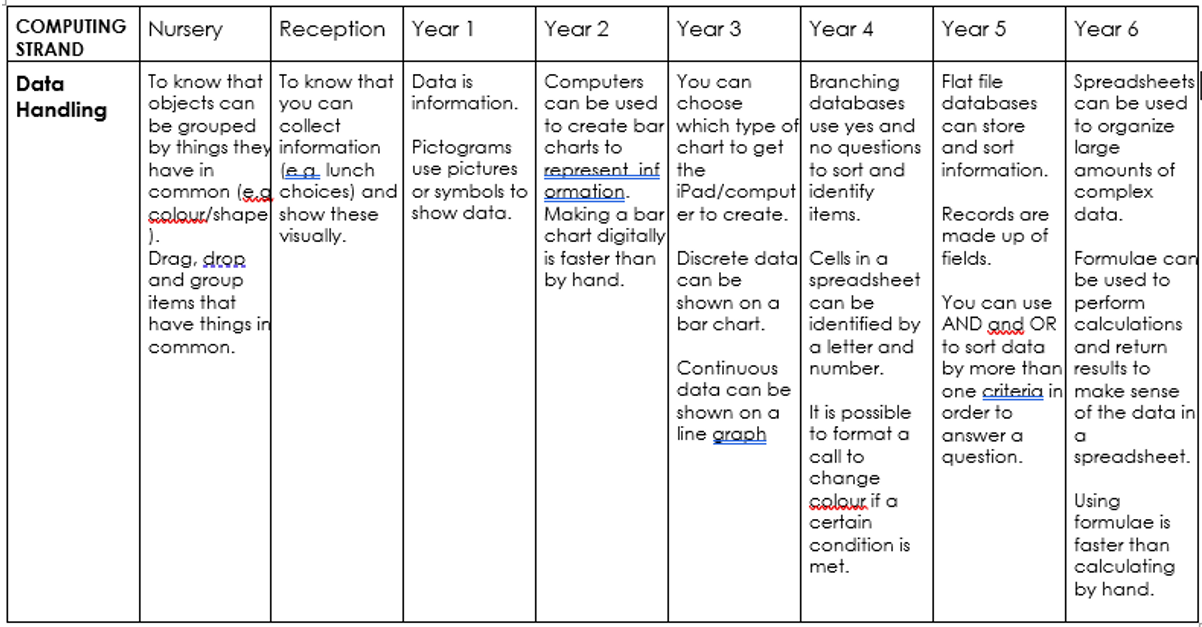
Part of the computing schema showing progression in Data Handling across the school.
Progression is built into our scheme of learning so that both knowledge and skills are consolidated and built upon as children move through the school. Teachers are given clear objectives to teach, which ensures consistency and progression for the pupils in each year group and across the school. .
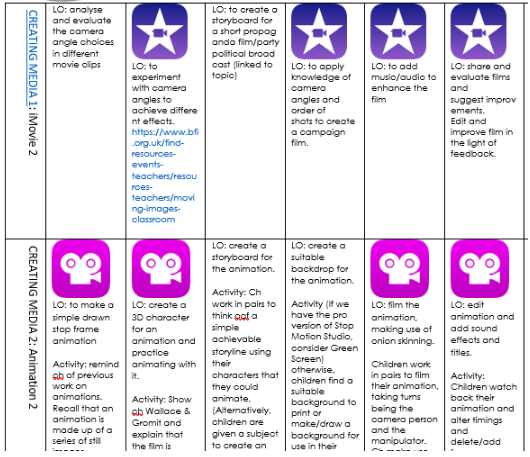
Whilst the objectives are given, there is the expectation that, where possible, individual teachers give the learning a context that makes links with and embeds learning in other subjects in order to make the learning relevant and purposeful. This is particularly the case within the Creating Media units, where links to Global Citizenship, History and Geography, for example, can easily be made.
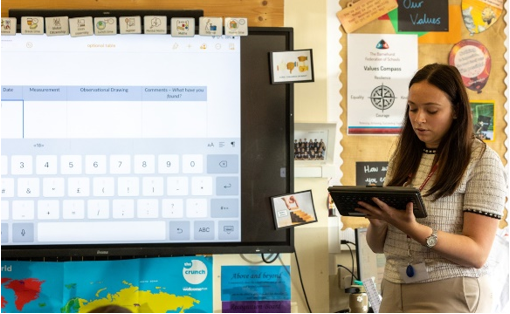 As well as being a tool to enable us to deliver the computing curriculum itself, there is a strong expectation that iPads are used to enhance learning in other subjects. Once children have been taught the skills in computing lessons, they are expected to apply them across the curriculum to consolidate and embed them. In this way, we believe children will internalise key concepts and be well-prepared for life beyond primary school. For example, Y5 children who have been taught some features of coding in Scratch may use these skills to demonstrate their understanding of the different stages of a life cycle in science, or children who have been taught how to hyperlink within Keynote during computing, may use this in a geography lesson when making a presentation about rivers.
At Barnehurst, we have fully embraced iPad as a tool to not only teach computing but to enhance our teaching across the curriculum. Currently, we use different models dependent on year group.
In Reception, 6 iPads per class, form both part of our continuous provision and for directed tasks to fulfil the computing curriculum and to augment and increase learning in other subjects.
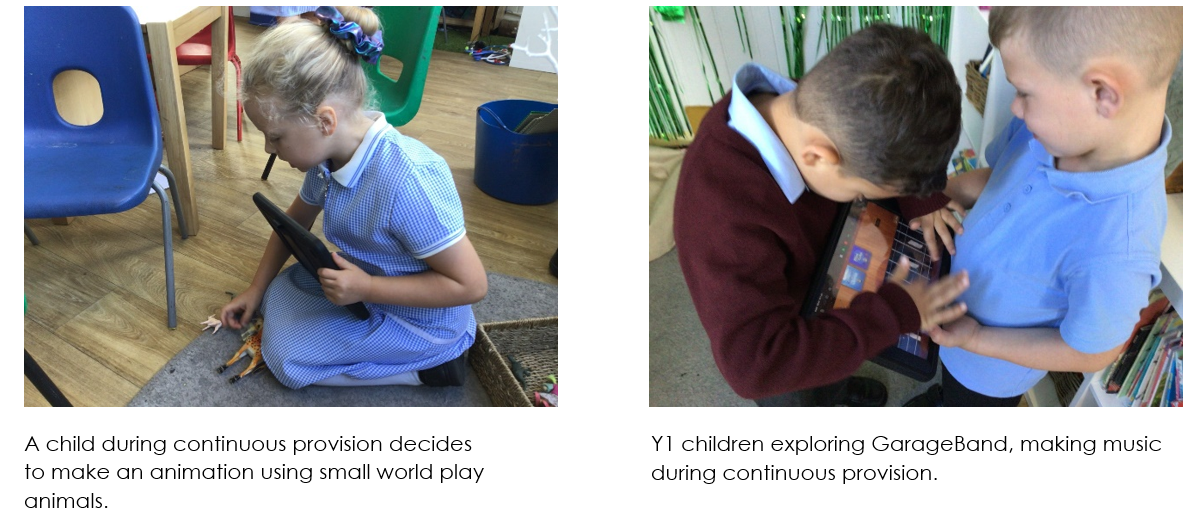
In Y1 to Y6, we are blessed to operate a 1:1 iPad model. Each child has their own dedicated device, personalised to their settings. In Year 1, these are used both as part of the computing curriculum and in continuous provision. In other year groups, teachers may choose to have these on the children’s desk throughout the day in order to maximise their use as teaching tools, even for off-line tasks, e.g. for research, as a thesaurus, dictionary, camera and a timer as well as enabling many opportunities to create work on the iPad itself.
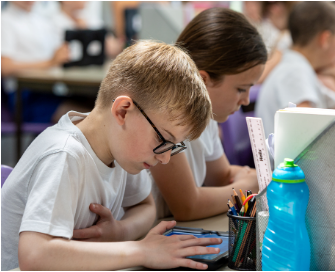
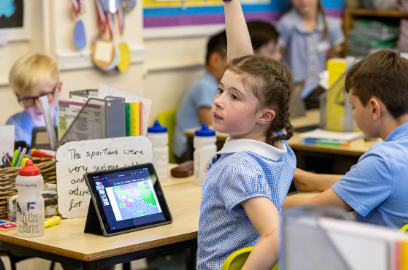
At Barnehurst, we fully believe that iPads are not merely a replacement for work in books, but that, when used correctly, they offer opportunities for children to create content and possibilities that simply wouldn’t be conceivable without them.
Research shows that, within education, computers can be used in different ways following the SAMR model (a framework conceived by Dr. Ruben Puentedura).
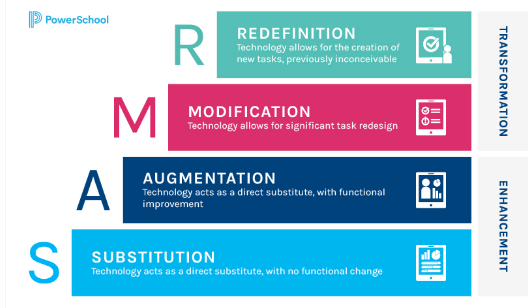
We use all of these strategies within the classroom, dependent on the desired outcome, but our aim is for all of our teachers to integrate technology so that it not only enhances educational opportunities for our pupils, but ultimately transforms them.
In addition to the obvious benefits of using iPad to teach computing and a myriad of other subjects, it has the added bonus of allowing children to share their work directly to the teacher’s board and thus with the whole class. By making use of screen mirroring and the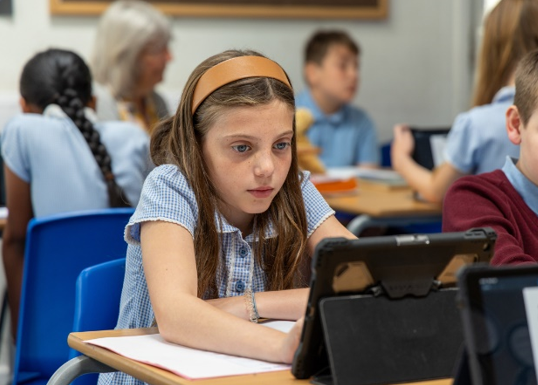 functions of Apple Classroom, children can get the invaluable satisfaction of having their work shared with the class and celebrated. Misconceptions can be easily identified and addressed, and instant feedback can be given. This may be on something the child has created on the iPad itself, or by using the camera as a visualiser, written work from books and whiteboards or maths manipulatives can also be shared and critiqued.
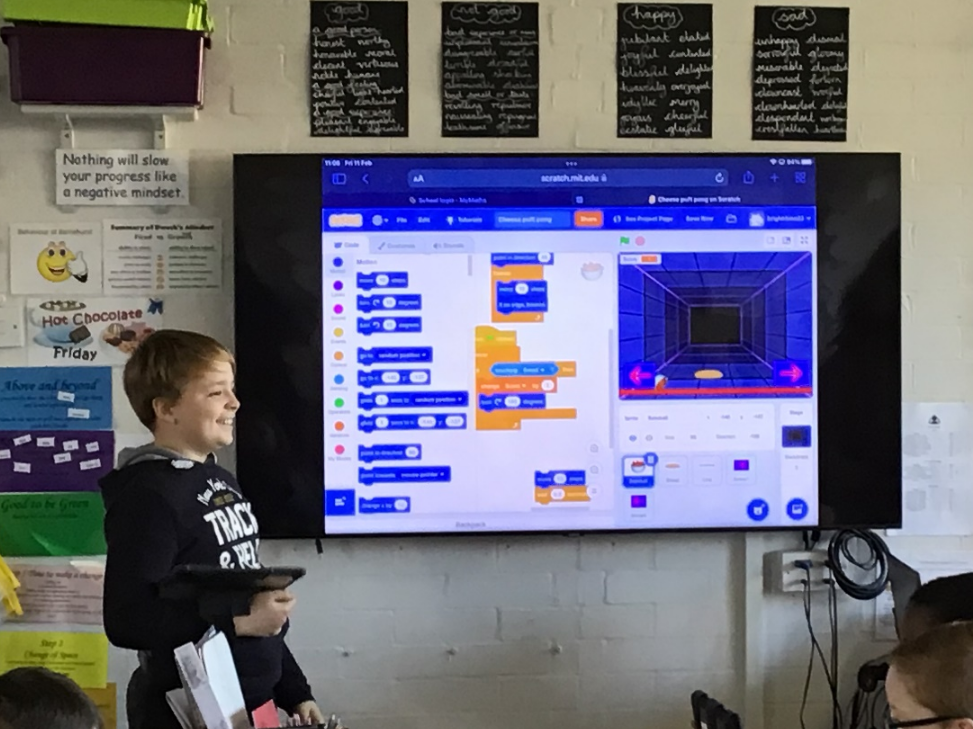
A child shares his screen and talks through his thinking during a computing lesson.
At Barnehurst, we use Showbie as a tool to set, share and collect in assignments. When work is done on iPad, it is referenced by using a numbered code in both the relevant exercise book and in Showbie so that subject leaders and SLT can easily locate it during book looks, for example the code 2.3 would mean that that piece of work was the third piece of work in that subject set during term 2. Furthermore, the practice of teachers giving Showbie classroom access to colleagues, allows for monitoring, moderation and sharing of good practice across our schools. Using Showbie also allows children to follow on their own copy of a text, PowerPoint or Keynote presentation, allowing for annotations and comments to be made.
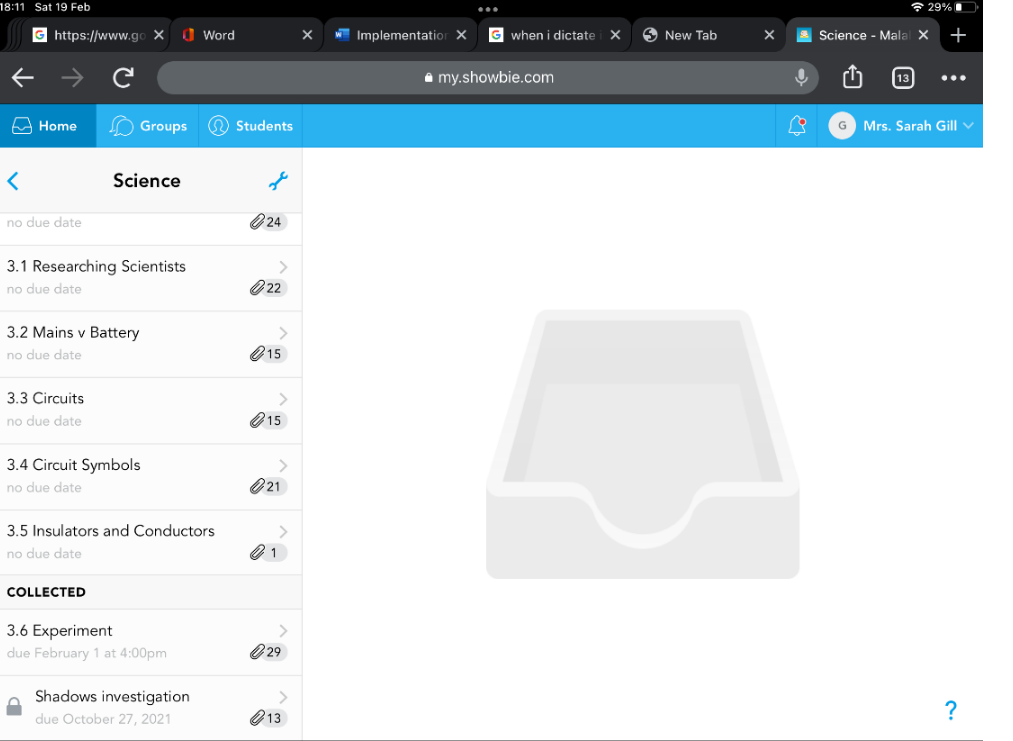
An example of how assignments are organised within Showbie.
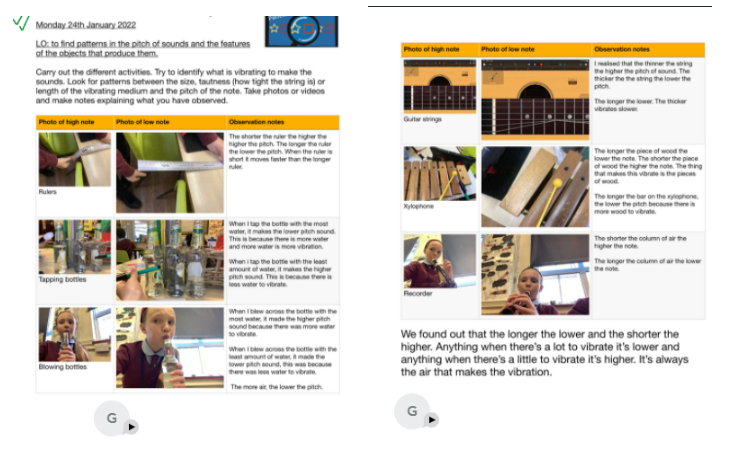
Examples of Science work submitted via Showbie
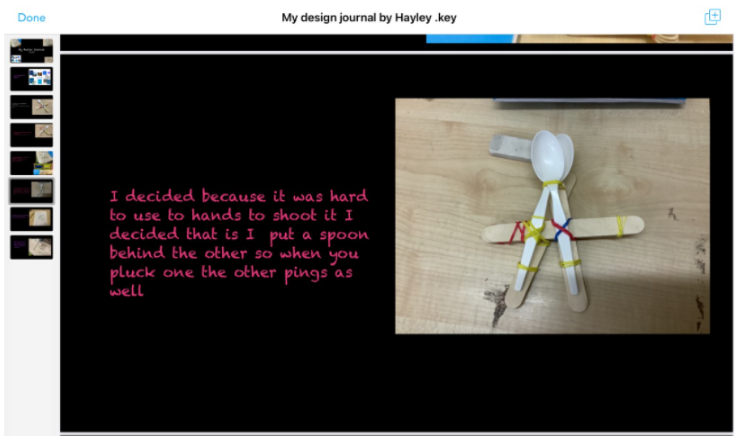
An extract from a DT design journal uploaded to Showbie.
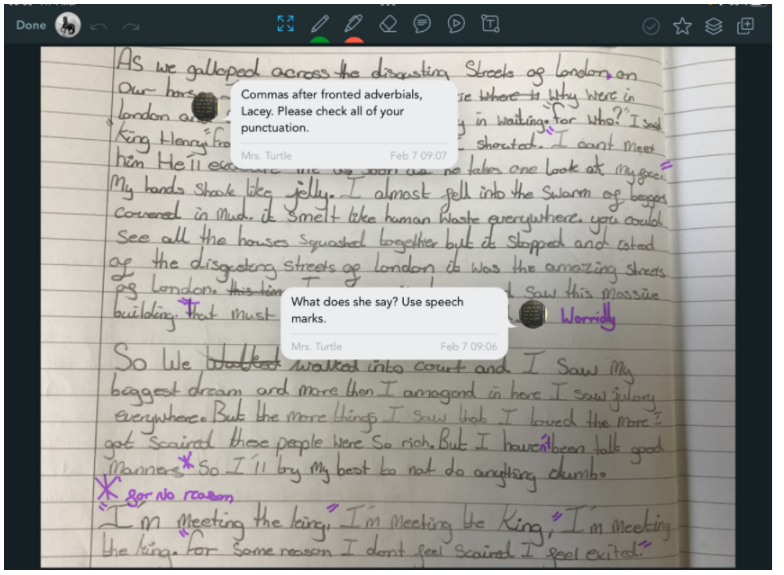
An example of how Showbie has been used for feedback in English, with voice notes given by the teacher and editing done by the pupil.
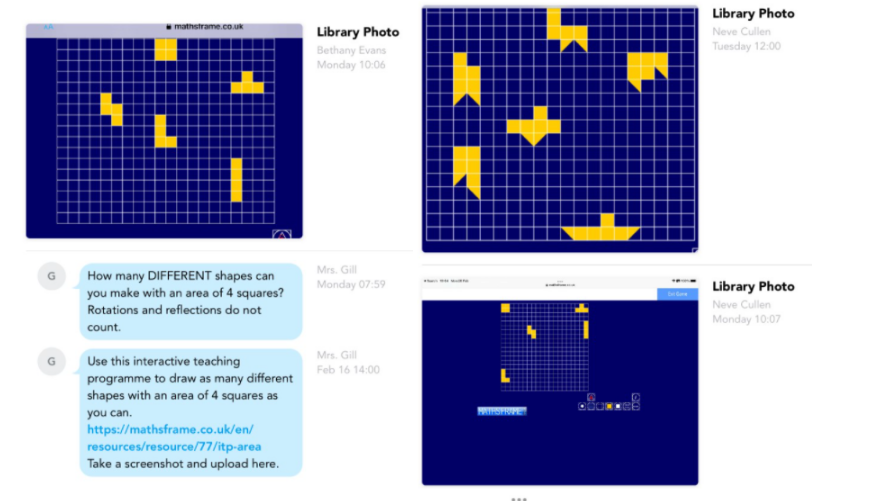
Children show their understanding in maths by using an interactivity and uploading to Showbie.

At Barnehurst, we assess against our Computing ‘building blocks.’ Computing building blocks are divided into five main categories. These are ‘Programming,’ ‘Creating Media,’ ‘Data Handling,’ and ‘Computer Systems & Networks,’ and ‘E-safety’ All building blocks are presented on each year group’s MTPs and inform the class teacher what needs to be assessed. 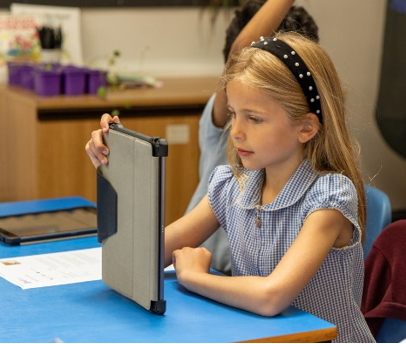 All assessments are written down using the school’s ‘wider curriculum’ document.
In order to best deliver our rigorous and ambitious curriculum effectively, we recognise that all staff need relevant training to ensure that their own subject knowledge and skills are up to date. Currently, we have four tiers of training depending upon needs.
SLT and leadership: As part of our commitment to promoting, developing and delivering computing throughout the schools, the computing lead, along with the headteacher and members of SLT have attended strategy meetings with experts from Apple Distinguished Schools, numerous webinars and visited schools to see iPads in action. Since our implementation is continually evolving, so too is our training and this remains a priority in order to make best use of the phenomenal technology we have.
T eaching Staff: To ensure that teachers are comfortable, competent, and excited about delivering the computing curriculum, training is given through staff meetings (from the computing lead and bought-in experts) training days, which have been dedicated to uplevelling knowledge and skills and on-going training through webinars. Demonstration lessons, both with bought in and in-house experts are built into our practice, so that we can learn from each other. All teachers have undertaken the online Apple Teacher course for iPad to develop basic skills using in-built iPad apps and opportunities are built into weekly staff meetings for teachers to share their top tips, in a feature we call ’Teacher Hacks’. Regular questionnaires of staff also allow us to identify experts in certain fields and members of staff who need further support, so that we can effectively pair up teachers and pin point future training needs.
Support Staff: We all know that the classroom runs more smoothly when everyone is fully invested in the vision. For this reason, all of our TAs and HLTAs have also been trained in basic iPad use including trouble-shooting and using the features of Showbie. Training needs of support staff run alongside that of our teaching staff and are also under constant review.
Pupil Leadership team: In order to empower our children and to showcase the fact that children often learn best from each other, we have appointed ‘computing experts’ as part of our pupil leadership team. These pupils are given training in trouble shooting, iPads and TV-screen management and in coding so that they can provide effective in-class help too both pupils and teachers.
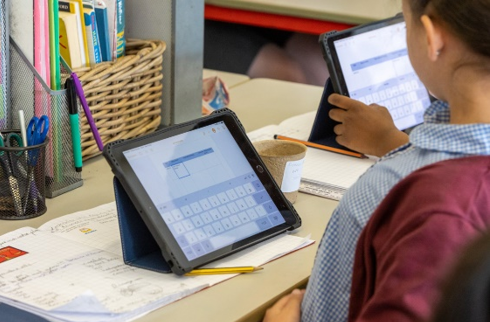 At Barnehurst, our mastery approach across the school ensures that all children, regardless of ability, are given the same opportunities to succeed and acquire the skills they need to be successful. Teachers often achieve this in computing, by setting children a mini-challenge and allowing the children some free time to explore the features of a program to see if they can solve it by themselves. They may then compare approaches, coach their peers if necessary and re-focus as a whole class to see what has been discovered. This approach, coupled with high quality input on new concepts from the teacher, allows children’s skills to flourish and for them to establish a secure understanding of the objectives for that lesson. As mentioned earlier, collaboration is encouraged, as this mirrors the way in which many professionals who work in computing, operate. All children then get the opportunity to deepen their understanding by applying their skills in other projects across the curriculum, as stated previously.